
Guide · AI products
How to explain an AI rejection to users
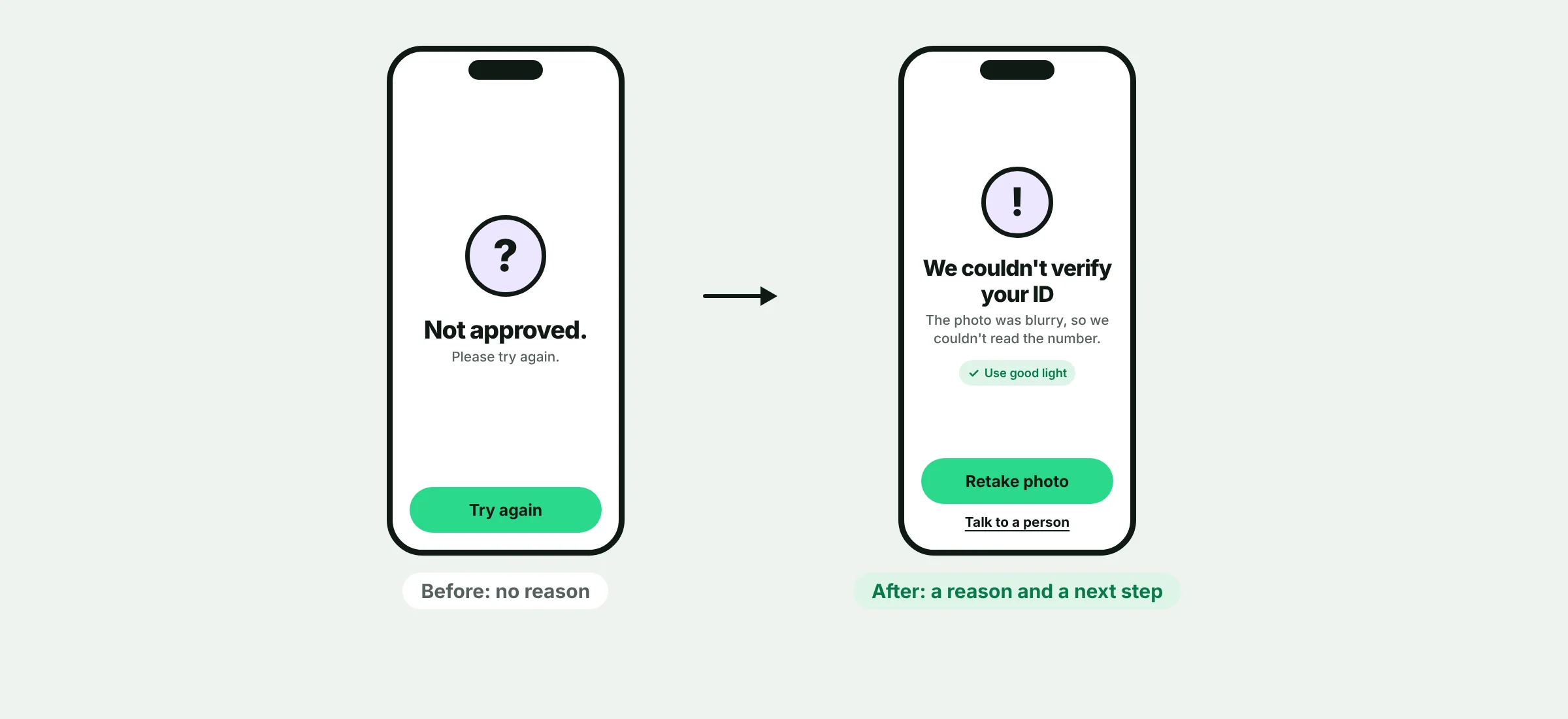
When an automated check says no, most screens show "Not approved" and a Try again button. The user does not know what to change, so they leave or write to support.
What users need
Three things: why it happened, what to do next, and a way to reach a person if they disagree. Without them, a rejection feels like a wall, and people stop trusting the product.
Three usability principles apply: help users recognize and recover from errors, give people control and a way out, and keep the system's status visible.
Four patterns that work
A plain-language reason
"The photo was blurry, so we could not read the number." Not an error code.
What to change
Tell people the specific thing to fix, and show an example if it helps.
A retry that keeps progress
Let users try again without re-entering everything.
A person to talk to
A visible way to reach support, or to ask for a manual review.
What goes wrong with AI results
Rejections without reasons
Users cannot tell why an AI check failed, so they retry blindly or leave. Show the specific cause in plain words.
Scores that mean nothing
Users do not know how a confidence score is computed. Explain the score, or drop it.
No way to contest
People need an accessible way to correct a wrong result. One study of 26 blind users found that their corrections were ignored and the errors repeated.
All-or-nothing results
A result that is mostly right forces people to accept it or start over. Let them edit or undo.
Too much automation
Users lose control when the system acts without their input. Start with approval steps and add automation as trust builds.
Write it like this
| Instead of | Say |
|---|---|
| Not approved. | We could not read your ID. The photo was blurry. Retake it in good light. |
| Verification failed (error 4021). | Your selfie did not match the photo on your ID. Try again in good light, or talk to a person. |
| Try again. | Retake photo. Your other answers are saved. |
The same rules as any error message: plain language, a specific problem, no blame and a way to fix it.
What you may not be able to say
Some reasons cannot be shown, for example when saying them would help a fraudster. In that case, use a general reason such as "We could not verify your details", and still give a next step and a way to reach a person.
Ask your compliance or legal team which rules about automated decisions apply where you operate. Some rules expect an explanation or a human review. This guide is design advice, not legal advice.
Related
Find out where your users drop off.
Start with a 5-day onboarding audit. You'll get a clear map of what's losing users and what to fix first.
Onboarding & KYC audit
- Flow review and drop-off map
- Prioritized fix list
- 30-minute walkthrough call